
Highlights
RentiCar Mobile App: Easy Car Rental in 3 Steps
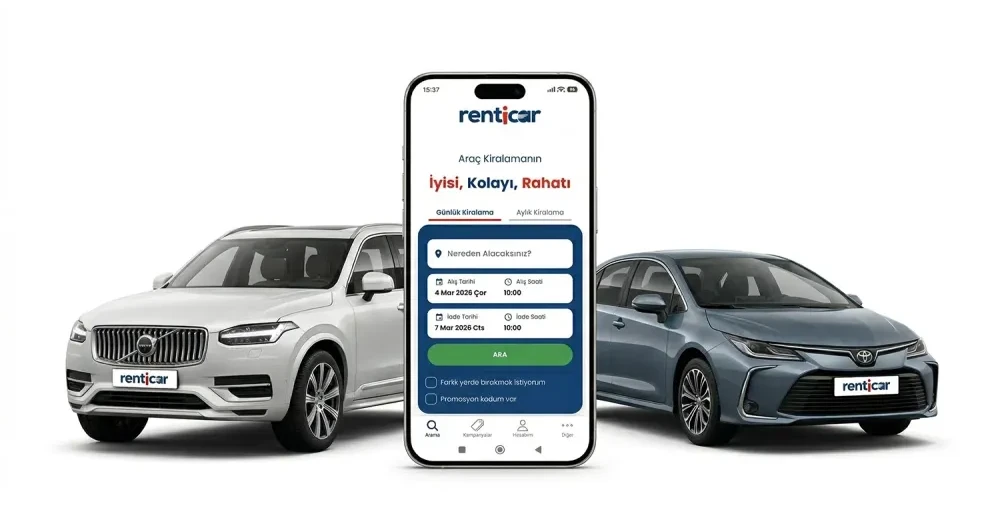
You can now easily handle car rentals, an indispensable part of your travels or daily needs, right from your pocket with just a few taps. RentiCar, with its user-friendly mobile application, offers a 3-step solution that digitizes the entire car rental process from start to finish, saving you time and providing a unique experience. In this guide, we will explain step-by-step how you can rent a car quickly and practically with the RentiCar mobile application. Enjoy reserving your car in just a few minutes with your mobile device. Renting a car with RentiCar is now much more practical. Keeping up with technology and prioritizing user experience, RentiCar makes the car rental process extremely easy with its mobile application. This way, you can save time while also having a secure and fast rental experience. With its advanced features and user-friendly interface, the RentiCar mobile application offers the ideal solution for your car rental needs.
RentiCar Mobile Application: Why Should You Use It?
In today's rapidly changing world, saving time and simplifying our tasks are of great importance. The RentiCar mobile application was developed precisely for this need. Thanks to its advanced technology and user-oriented design, it makes the car rental process both faster and more enjoyable.
Conveniences Offered by the RentiCar Application
The RentiCar mobile application is equipped with many features that simplify your car rental experience. Instead of complex procedures, you can reserve your car in just a few steps. This convenience provides a significant advantage, especially for users with busy lifestyles.
User-Friendly Interface
One of the most striking features of the application is its intuitive and user-friendly interface. Even beginners can easily navigate and quickly access the information they need. The harmony of colors and the placement of buttons ensure that users have a comfortable experience.
Step 1: Download the Application and Create Your Account
The first step to renting a car with the RentiCar mobile application is quite simple. You can start this process by downloading the application to your smartphone and registering with a few basic details. This step is the first key to providing you with a personalized experience.
Account Creation and Login Procedures
After downloading the application, you can easily create an account from the screen that appears. You can quickly become a member with your email address, phone number, and a password you set. If you already have an account, you can simply log in and continue where you left off. This ensures that we provide you with personalized service by securing your personal information.
Location Selection and Date Selection
After logging into your account, you will need to specify the location and date range for your car rental. The application can automatically show you the nearest RentiCar offices using your location services or allow you to manually select a different location. After selecting the rental start and end dates, we can list the available vehicles.
Step 2: Vehicle Search and Selection Process
The RentiCar mobile application offers advanced filtering options that make it easy to find the most suitable vehicle for your needs from its extensive fleet. This way, you can find the vehicle with the features you are looking for in seconds.
Advanced Filtering Options
On the vehicle search screen, you can filter by many criteria such as fuel type, transmission type, number of seats, and trunk volume. This feature provides great convenience, especially for users with specific needs. For example, if you are looking for a vehicle with a large trunk volume for a long journey, the filtering options will speed up this process.
Reviewing Vehicle Details
You can access detailed information about the vehicles you like. Information such as the technical specifications of each vehicle, fuel consumption, amenities like air conditioning, and daily rental price are clearly indicated on the screen. Additionally, you can get an idea of the exterior and interior appearance by examining the photos of the vehicles. This detailed information will help you choose the right vehicle.
Reservation Confirmation
After finding the vehicle you want and reviewing all the details, you can confirm your selection by clicking the 'Reserve' button. This step ensures that the vehicle is reserved for you within the specified dates. After your reservation, you can proceed to the payment and contract steps.
Step 3: Completing the Rental Process (Payment and Contract)
After completing your vehicle selection, you can quickly complete secure payment and digital contract processes through the RentiCar mobile application. These steps allow you to finalize the rental process.
Secure and Fast Payment Methods
RentiCar offers various secure payment methods such as credit cards and debit cards. After entering your payment information, the system automatically completes your transaction securely. This fast payment process saves you time and helps you complete the rental process smoothly.
Digital Contract Signing
After the payment process is successfully completed, the car rental agreement will appear digitally. You can carefully read the contract text and apply your digital signature to approve it. This presents a paperless process, demonstrating an environmentally conscious approach and speeding up transactions. Digital contracts are legally valid and contain all information.
Rental Confirmation and Notification
Once you have completed all the steps, you will receive your rental confirmation through the RentiCar mobile application. This confirmation includes important information such as the details of the vehicle you rented, the pick-up location, and time. You can also receive notifications via email or SMS. This way, you can pick up your vehicle without any issues.
Advantages of the RentiCar Mobile Application
The RentiCar mobile application has many advantages that simplify the car rental process. These advantages allow users to have a more efficient and enjoyable experience. * **Easy Car Rental in 3 Steps:** With the application, you can reserve your vehicle in just three simple steps. * **Fully Digital Process:** All transactions, from registration to contract signing, are carried out digitally through the mobile application. * **Fast and Secure Payment:** Complete your transaction in seconds with various secure payment methods. * **Advanced Filtering:** Utilize advanced filtering options to easily find the vehicle that best suits your needs. * **24/7 Access:** With the application, you can carry out your car rental transactions anytime, anywhere. With RentiCar, you no longer need to wait in long queues or fill out complex forms to rent your vehicle. The mobile application brings the entire process to your pocket. You can plan your travels by choosing from RentiCar's wide range of vehicle models.
Frequently Asked Questions
Where can I download the RentiCar mobile application?
You can download it for free from the App Store and Google Play Store.
How long does it take to rent a car through the app?
You can complete the rental process in an average of 3-5 minutes.
Is the digital contract valid?
Yes, digital contracts made through the RentiCar mobile application are legally valid.
What payment methods are available in the app?
Secure online payment methods such as credit cards and debit cards are offered.
The RentiCar mobile application makes the car rental process extremely easy and fast. This also offers a practical solution for those who want to learn more about the car rental process. Visit our website to learn more about the exclusive services offered by RentiCar. As you can see, renting a car with the RentiCar mobile application is now extremely simple and fast. With its user-friendly interface, advanced filtering options, secure payment infrastructure, and digital contract convenience, RentiCar takes your car rental experience to the next level. Download the RentiCar mobile application now and easily reserve your vehicle for your next trip! Visit RentiCar for more information about RentiCar services.